# Transmatic TFIX 200 - Fixation Unit
# Safety Considerations
### The Key Points
- The Fixation Unit gets very hot
- The Fixation Unit should not be left unattended during operation
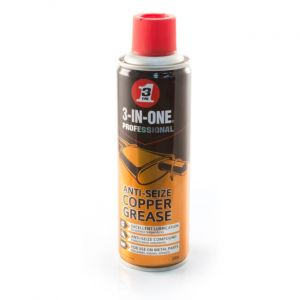
- The Maintenance needs to be done with Silicon or Copper Grease, normal WD40 is flammable and will go on fire
- **The Maintenance Door is VERY HEAVY, opening this door IS A TWO PERSON JOB**
- Do not touch the drive shaft when it is loading the media bar in and out of the Fixation Unit
- There is a chance of burn when loading media over the media bar, this should only be done when the bar Fixation Unit is off
- The Charcoal Filtration Unit must be on during Fixation otherwise you will find a haze developing in the area of the Fixation Unit, this can lead to a build up on dirty ink on prints
### Emergency Stop Points
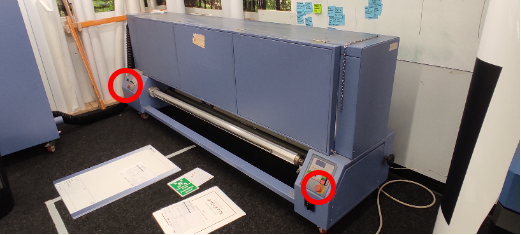
Incase of emergency (material jam etc) there are two emergency stop points. Switching the emergency stop will stop belt drive and the heaters.
This will allow removal of any jammed material and remove any fire risk.
# Manufacturers Manual
[Technical Datasheet Download](https://manual.maticmedia.co.uk/attachments/1)
# Maintenance
Maintenance on the Fixation unit should be done **Weekly.**
### Fixation Unit Maintenance Procedure
1. The Fixation Unit should be completely cold
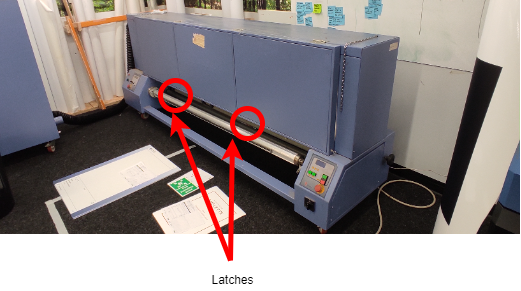
2. Open the two latches at the front of the Fixation Unit
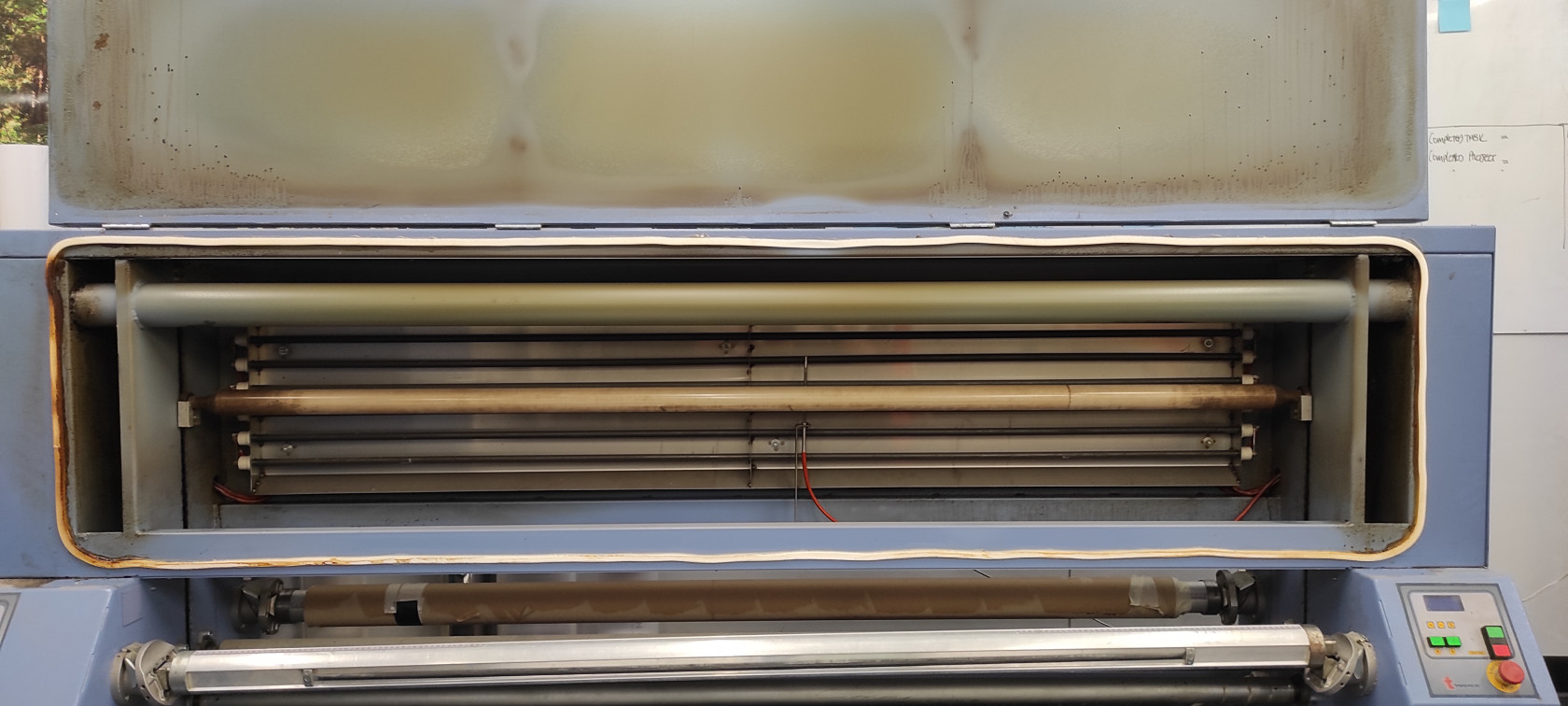
3. Using 2 people open the fixation unit, THE DOOR IS VERY HEAVY
[](https://manual.maticmedia.co.uk/uploads/images/gallery/2022-05/image-1652263086618.jpg)
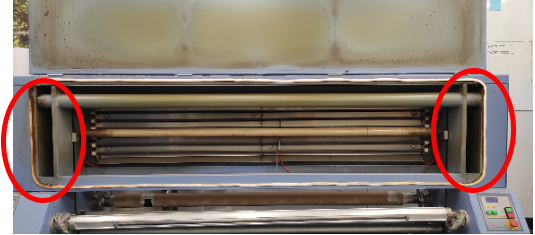
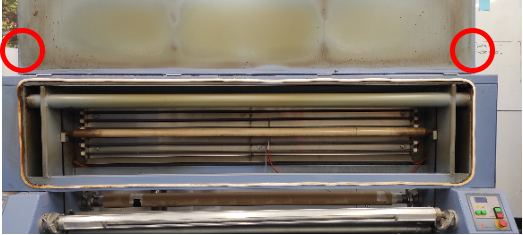
4. Using the chain links on the left and the right hook the door to the top of the Fixation Unit
5. Spray WD40 Copper Grease or WD40 Silicon Grease on the drive shafts
[ or ](https://manual.maticmedia.co.uk/uploads/images/gallery/2022-05/image-1652263390267.png)[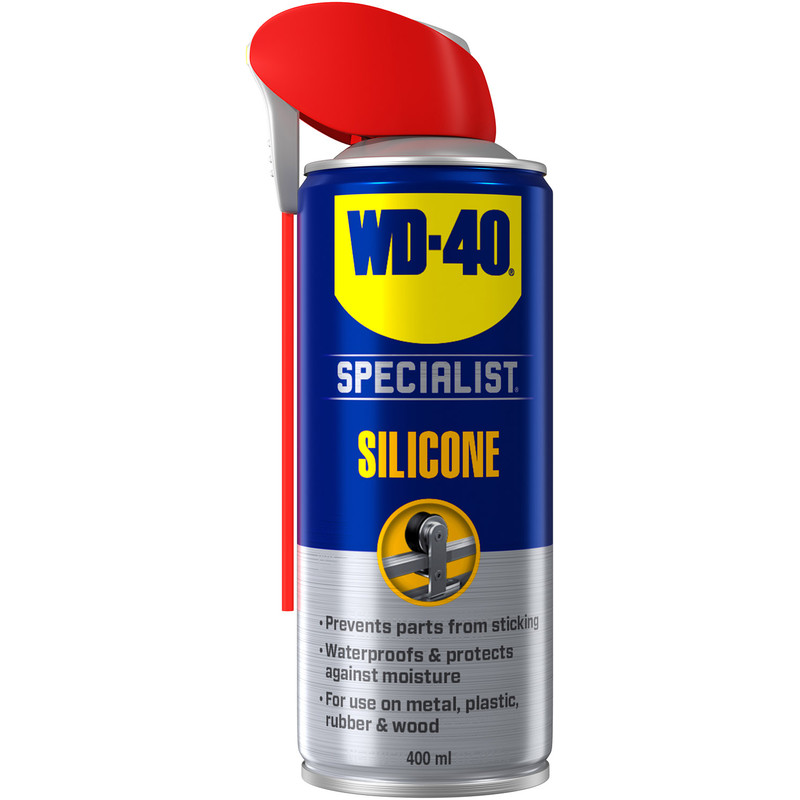](https://manual.maticmedia.co.uk/uploads/images/gallery/2022-05/image-1652263421576.png)
1. Located on the left and right hand side of the machine
2. Spray from the top to the bottom to allow for even coating
6. Lower the door back in place **THE DOOR IS VERY HEAVY, THIS IS A TWO PERSON OPERATION**
# Standard Operation
## Standard Operation Procedure for Fixating Fabric
Fixating dye-subliminated fabric is a balance between heat and time in the oven. To fixate fabric using the Transmatic Unit you must follow the following 5 Steps...
1. [Load Cores on to Front and Back Spool Bars](#bkmrk-loading-a-core-on-to)
2. [Load the Material into the Fixation Unit](#bkmrk-loading-the-material)
3. [Set the Temperature](#bkmrk-setting-the-temperat)
4. [Turn on the Extractor Unit](#bkmrk-turn-on-the-extracto)
5. [Feed Material Through Fixation Unit](#bkmrk-feeding-the-material)
### Loading a Core on to a spool bar
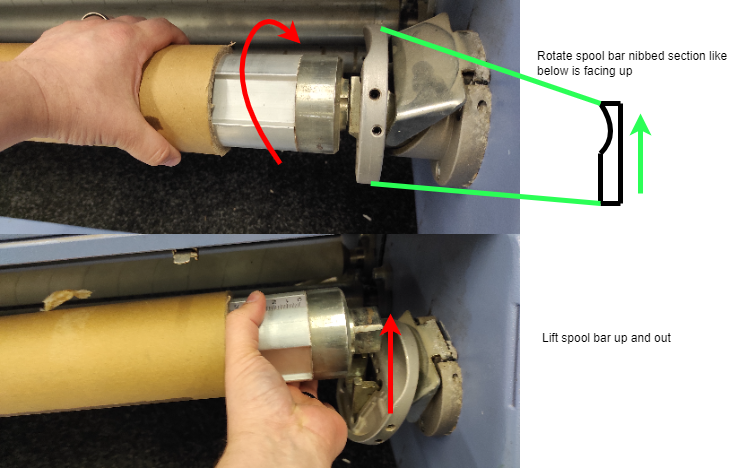
#### 1. Removing the spool bar
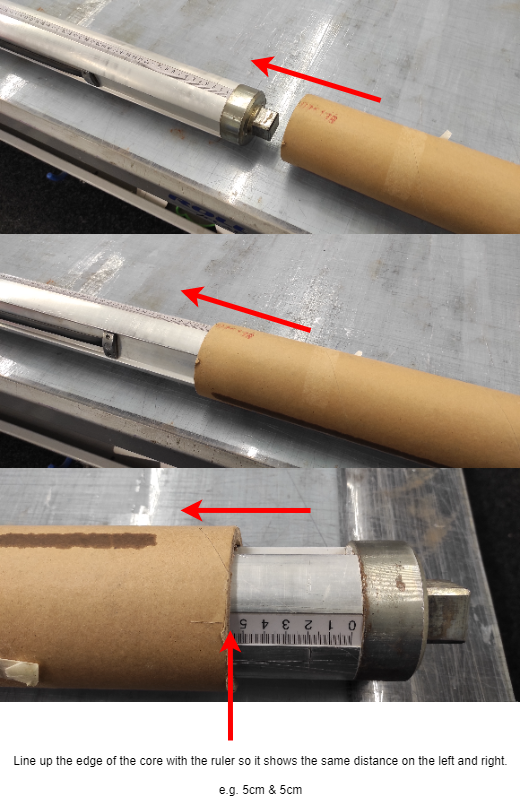
#### 2. Loading a Core on the Spool Bar
### Loading the Material
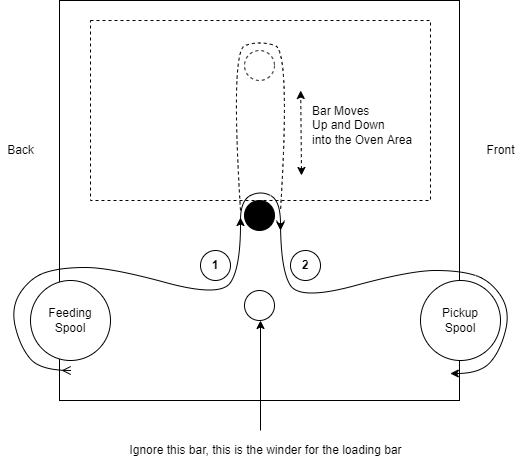
1. Load the material from the back of the machine from the **feeding spool**
2. Feed the material under the **first tension bar** (shown as 1 in the diagram)
3. Feed the material over the **loading bar** (show as black on the diagram)
4. Feed the material under the **second tension bar** (shown as 2 in the diagram)
5. Connect the material to the **pick up spool** at the front of the machine.
### Turning the Fixation Unit On/Off
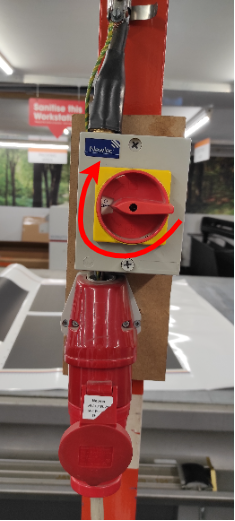
#### 1. Make sure the 3 Phase plug is plugged into the wall unit and turned on.
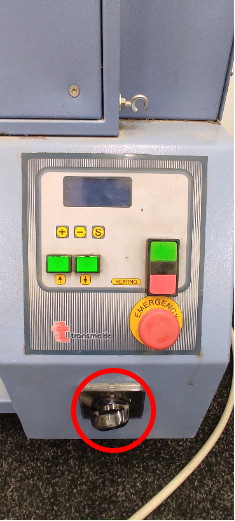
#### 2. Turn the black switch on the right hand side on the Fixation Unit on
#### 3. Press the Green Button
[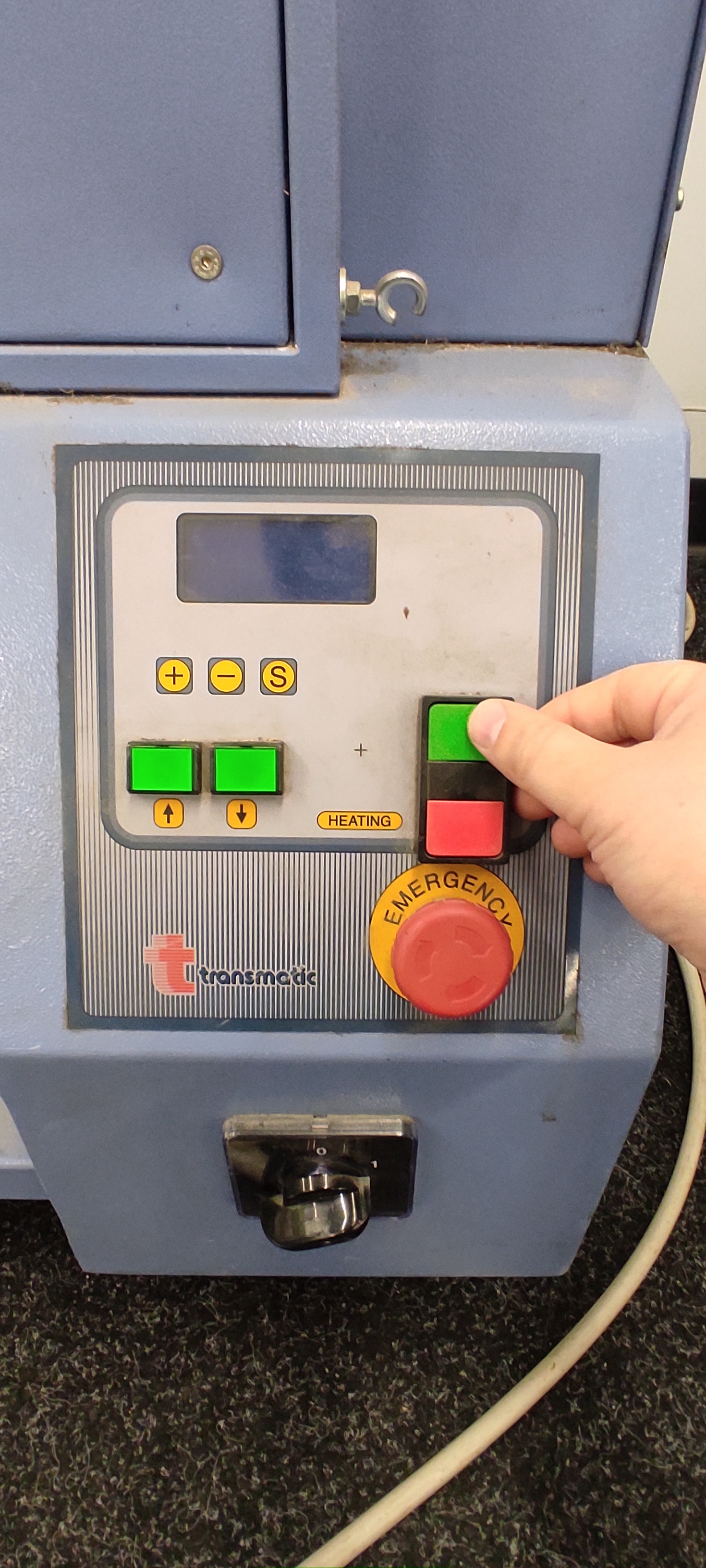](https://manual.maticmedia.co.uk/uploads/images/gallery/2022-05/image-1652171911879.jpg)
#### 4. To turn off do the reverse procedure from above.
### Setting the Temperature
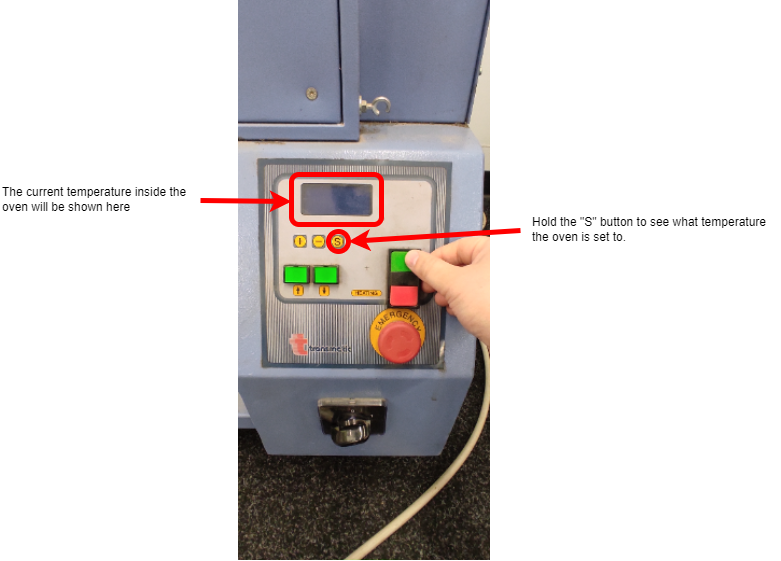
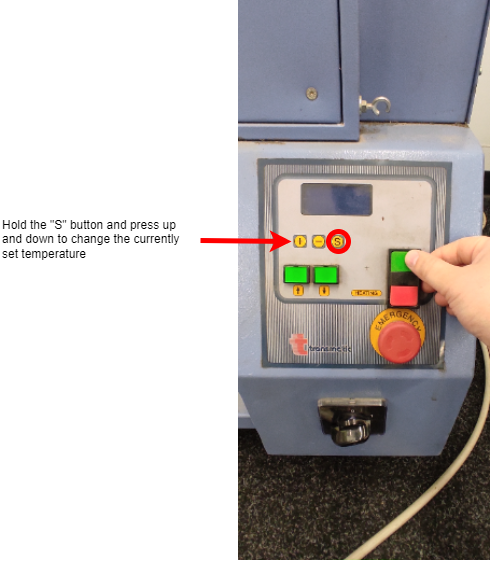
The fixation unit has a max operating temperature of 230 degrees Celsius.
#### 1. Checking the Current Temperature Setting
#### 2. Changing the Temperature
### Turn On the Extractor Unit
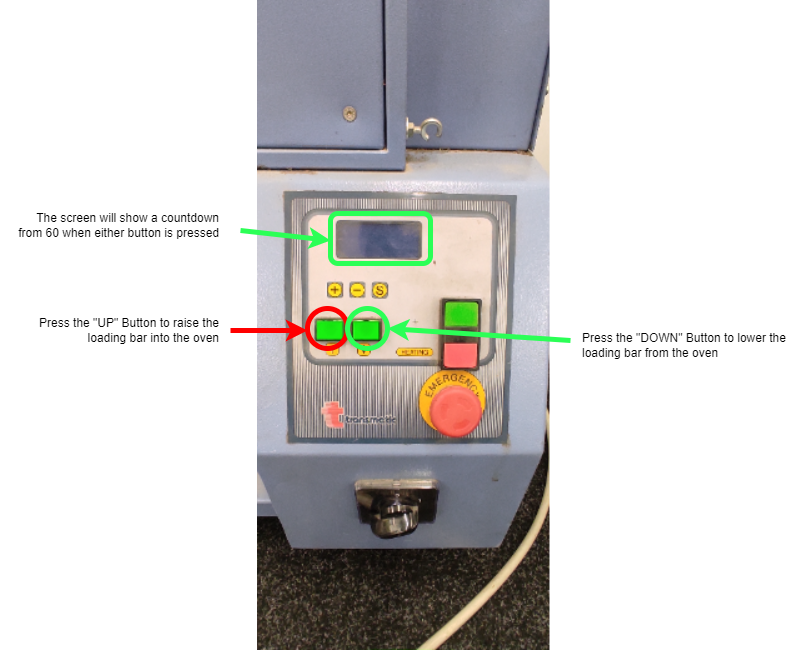
### Lowering/Raising the Loading Bar Into the Oven
### Feeding the Material Through the Fixation Unit
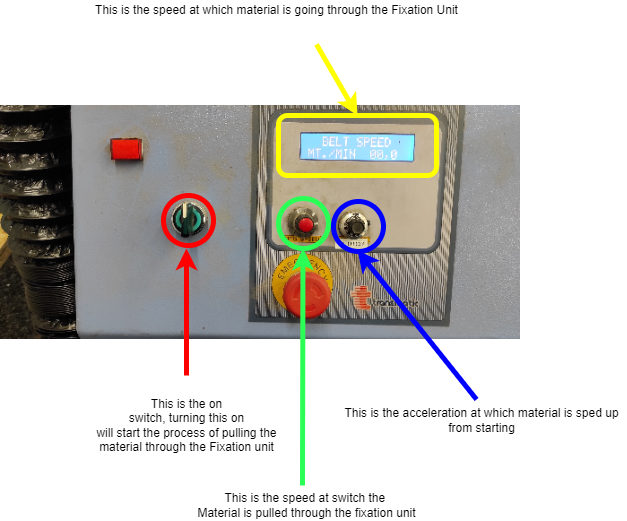
The diagram below shows the control panel for moving material through the Fixation Unit. This is located on the left hand side of the Fixation Unit.
#### Process to start Fixating Fabric
1. Turn on the belt movement using the Green Switch (Highlighted in Red)
2. Use the red knob to set the speed you want the fabric to move through the Fixation Unit at (Highlighted in Green)
3. If the fabric is stopping half way through or is an inconsistent speed the acceleration needs increased (Highlighted in Blue)
4. If the fabric is pulling too quickly and is running uneven the acceleration is too fast.
**Normally the acceleration only needs to be changed if you are running a different fabric or trying to run at a very low speed. Otherwise keep it at 4.9.**
# Operational Video Example
# Serial Number
[](https://manual.maticmedia.co.uk/uploads/images/gallery/2022-07/image-1658144053925.jpg)