# Password Manager
### Setting Your Password
**IMPORTANT YOU CANNOT RESET YOUR PASSWORD AS THIS IS USED AS AN ENCRYPTION KEY**
**USE A VERY STRONG PASSWORD AND ADD A PASSWORD HINT INCASE YOU FORGET**
### Location
| **Url** | [https://vault.maticmedia.co.uk](https://vault.maticmedia.co.uk) |
### Administrator Access
The following users have administrative access if you need to request access to the password manager.
| MaryRose |
| Richard |
| Robert |
| Linda |
### Collections
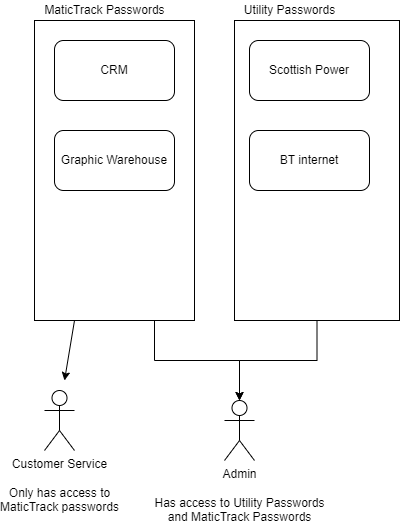
Inside the vault you can save... Passwords, Notes, Files etc these are categorised inside Collections. Collections can then be shared with other Vault users.
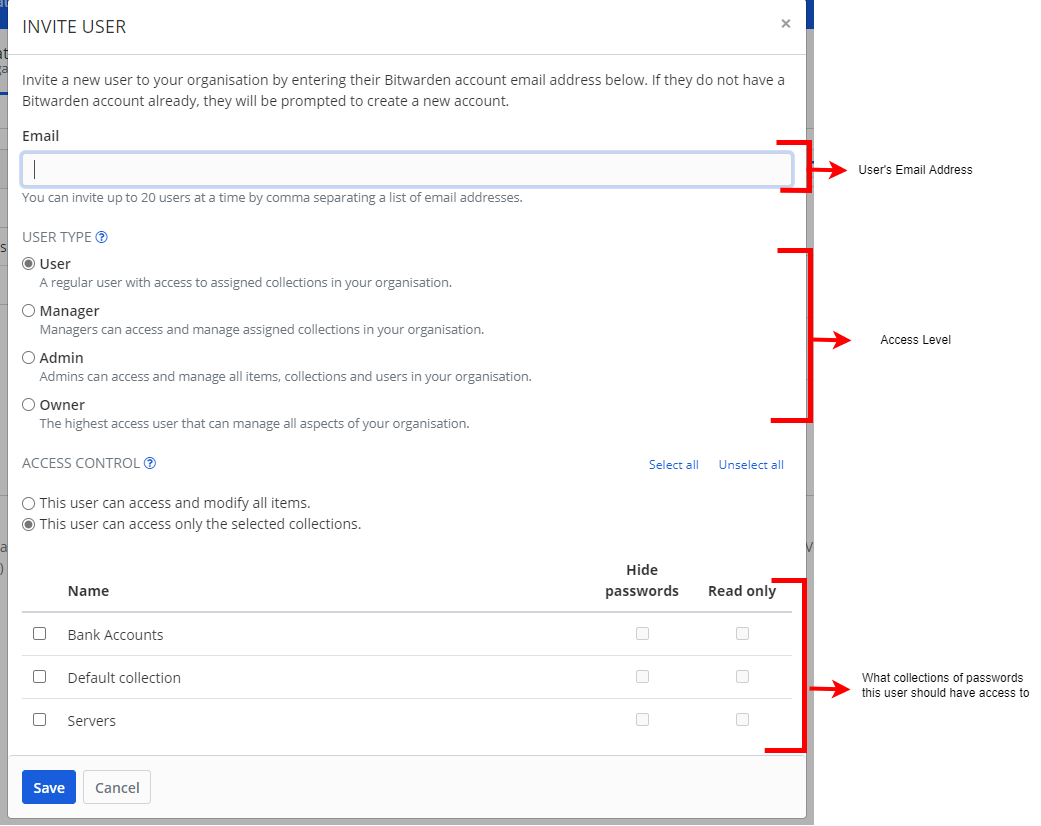
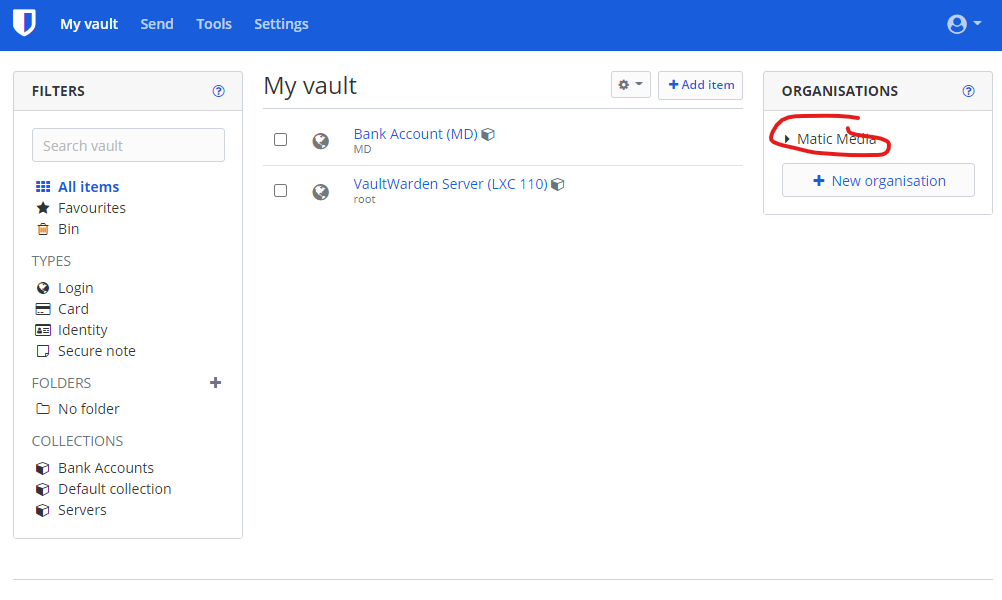
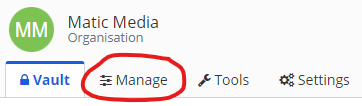
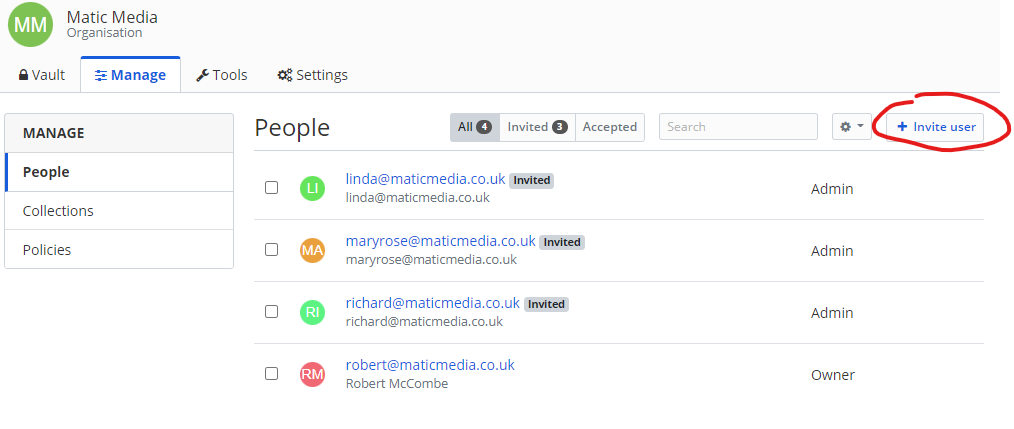
### Adding Users
[](https://manual.maticmedia.co.uk/uploads/images/gallery/2022-05/image-1652271075076.png)
[](https://manual.maticmedia.co.uk/uploads/images/gallery/2022-05/image-1652271105946.png)
[](https://manual.maticmedia.co.uk/uploads/images/gallery/2022-05/image-1652271129094.png)
### Physical Location
Passwords are saved in a VaultWarden instance on **LXC 110 on Server 1 (Internal IP 192.168.0.60)**. Backups are preformed weekly. You can access the Proxmox instance by following the [instructions here.](https://manual.maticmedia.co.uk/books/servers "Servers")
### Browser Extensions & Mobile Apps
There are bitwarden extensions for Firefox, Chrome and Edge.
#### Links to Extensions
| Firefox | [Bitwarden - Free Password Manager – Get this Extension for 🦊 Firefox (en-GB) (mozilla.org)](https://addons.mozilla.org/en-GB/firefox/addon/bitwarden-password-manager/) |
| Edge | [Bitwarden - Free Password Manager - Microsoft Edge Addons](https://microsoftedge.microsoft.com/addons/detail/bitwarden-free-password/jbkfoedolllekgbhcbcoahefnbanhhlh?hl=en-GB) |
| Chrome | [Bitwarden - Free Password Manager - Chrome Web Store (google.com)](https://chrome.google.com/webstore/detail/bitwarden-free-password-m/nngceckbapebfimnlniiiahkandclblb?hl=en)
|
| Android | [Bitwarden Password Manager – Apps on Google Play](https://play.google.com/store/apps/details?id=com.x8bit.bitwarden&hl=en_GB&gl=US)
|
| IOS | [Bitwarden Password Manager on the App Store (apple.com)](https://apps.apple.com/us/app/bitwarden-password-manager/id1137397744)
|
#### How to Setup Browser Extension / Mobile Apps
1. Click the bitwarden icon at the top of the address bar after installing your extension
[](https://manual.maticmedia.co.uk/uploads/images/gallery/2022-05/image-1652270066851.png)
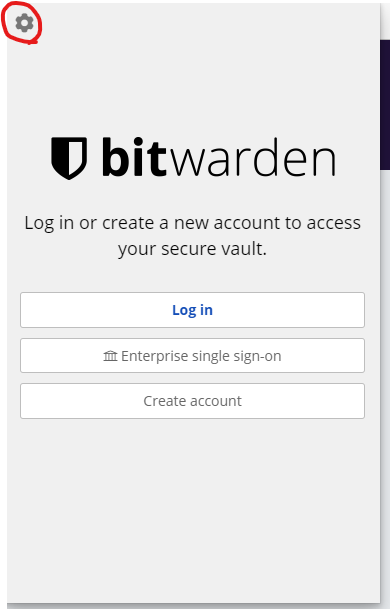
2. Click the cog in the top left of the edge screen
[](https://manual.maticmedia.co.uk/uploads/images/gallery/2022-05/image-1652270028314.png)
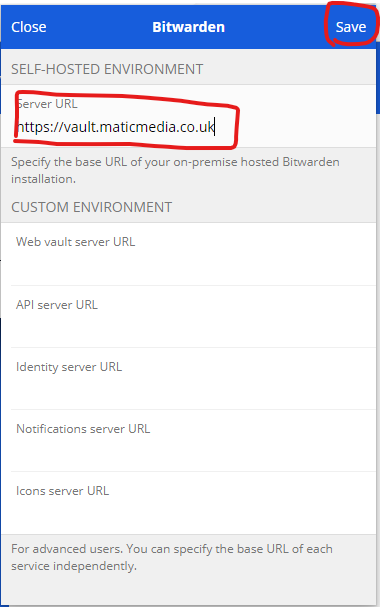
3. Enter the URL [https://vault.maticmedia.co.uk/](https://vault.maticmedia.co.uk/) then click **save**
[](https://manual.maticmedia.co.uk/uploads/images/gallery/2022-05/image-1652270156442.png)
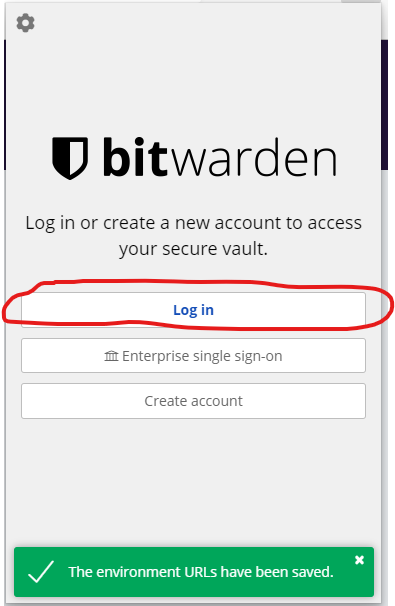
4. Click the login
[](https://manual.maticmedia.co.uk/uploads/images/gallery/2022-05/image-1652270271879.png)
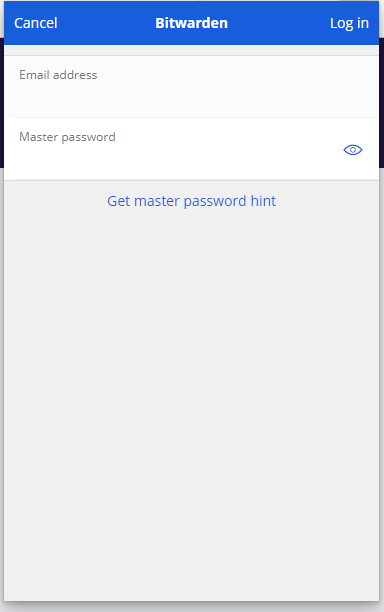
5. Enter your username and password
[](https://manual.maticmedia.co.uk/uploads/images/gallery/2022-05/image-1652270318276.png)