Generic Questions
All Questions
What's the widest we print?
- 3.2m UV
- 1.8m Dye Sublimation
- 1.6m Vinyl
- 3m x 2m Direct to Board
- Check available sheet sizes
What's the weight of our roll materials?
| Mesh Banner | 340gsm PVC/Polyester mesh |
| Airmesh | 130gsm 100% Polyester |
| Flag | 115gsm 100% Polyester |
| Banner | 440gsm, 600gsm or 800gsm PVC/Polyester Mix |
Why is my print grainy
The graininess comes from the print process. We use a CMYK process so make up the colour its made up of mixing the 4 colours together using little dots. The lighter the colour the less ink is used.
What's the Minimum Text Size we recommend?
In terms of the text, the minimum point size is 5pt. This is industry standard across printers, we won't be able to produce these sharply and like other printers do not guarantee it.
What's the weight of our Heras Fence Panels
| Mesh Banner | 340gsm PVC polyester mesh |
| Airmesh | 130gsm 100% Polyester |
| Flag |
115gsm 100% Polyester |
What size are our eyelets?
19mm diameter external, 11mm internal
How to get in to Carts View when a Quotation hasn't been converted yet?
change the url to
/sales/shop-sales/carts-view/id/[quotation id]
Saving Cards on Website
How to Save and Use a Payment Method
-
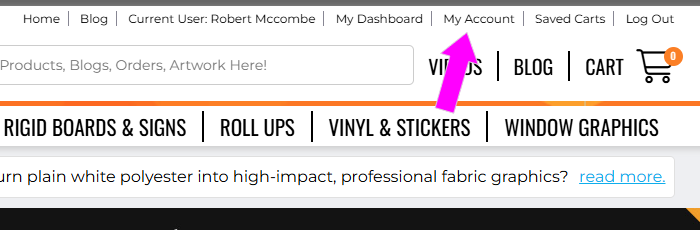
Go to "My Account"
-
From the top navigation bar, click on My Account.
(Refer to Screenshot 1)
-
-
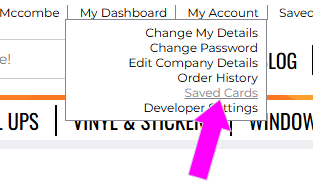
Open Saved Cards
-
In the dropdown menu, click Saved Cards.
(Refer to Screenshot 2)
-
-
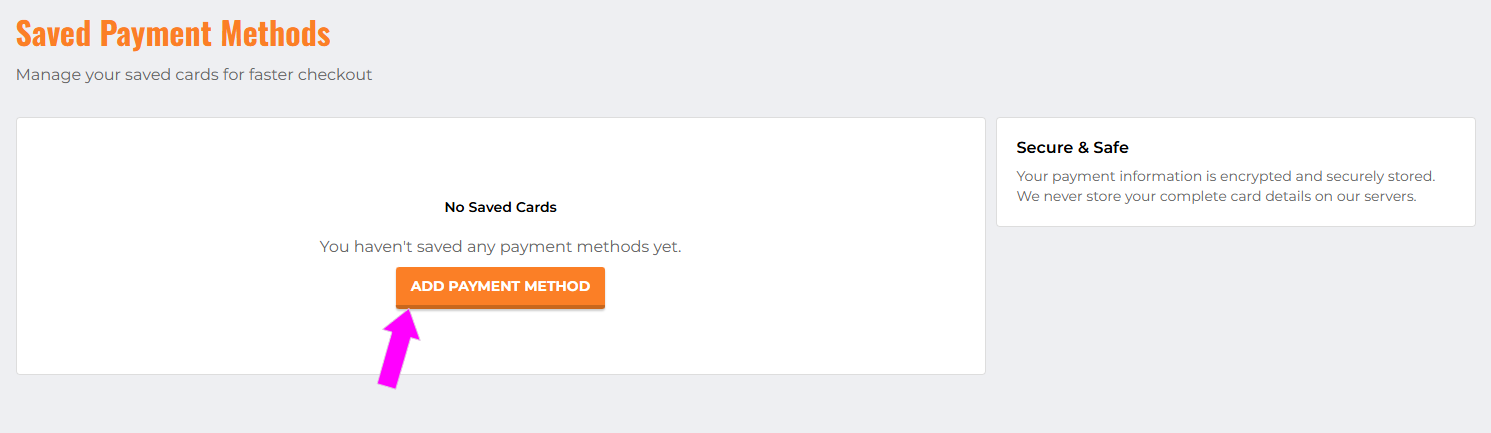
Add a New Payment Method
-
On the "Saved Payment Methods" page, click the Add Payment Method button.
-
Enter your card details securely.
(Refer to Screenshot 3)
-
-
Select Your Card at Checkout
-
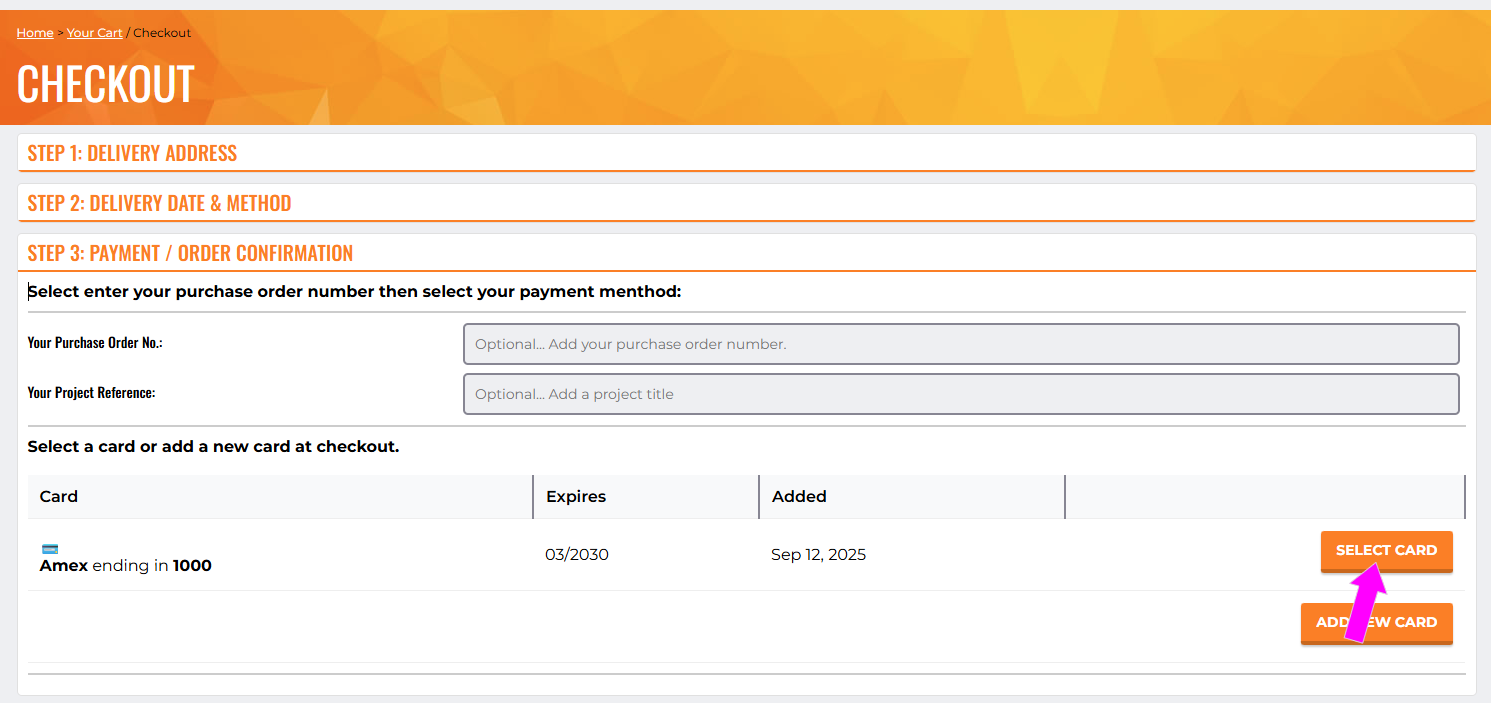
When placing an order, proceed to the Checkout page.
-
In Step 3: Payment / Order Confirmation, you will see your saved card listed.
-
Click Select Card to use it for your payment.
(Refer to Screenshot 4)
-