# General Usage

#### Sending Private Messages

1. You can send 1 to 1 messages to other users by searching for users in the directory  
    [![image-1657290595488.png](https://manual.maticmedia.co.uk/uploads/images/gallery/2022-07/scaled-1680-/image-1657290595488.png)](https://manual.maticmedia.co.uk/uploads/images/gallery/2022-07/image-1657290595488.png)
2. Select the users Tab  
    [![image-1657290626639.png](https://manual.maticmedia.co.uk/uploads/images/gallery/2022-07/scaled-1680-/image-1657290626639.png)](https://manual.maticmedia.co.uk/uploads/images/gallery/2022-07/image-1657290626639.png)
3. Search for the users name in the search bar
4. Select the user
5. A chat will appear on the left to represent your conversation

#### Requesting Access to a Chat Room

Its the same process as above to access a chat room you are not currently a member of, except select "Channels"

[![image-1657290746910.png](https://manual.maticmedia.co.uk/uploads/images/gallery/2022-07/scaled-1680-/image-1657290746910.png)](https://manual.maticmedia.co.uk/uploads/images/gallery/2022-07/image-1657290746910.png)

<p class="callout warning">If you cannot find a channel, it means the channel is PRIVATE you and must ask someone in the channel to add you.</p>

#### Searching for Chats

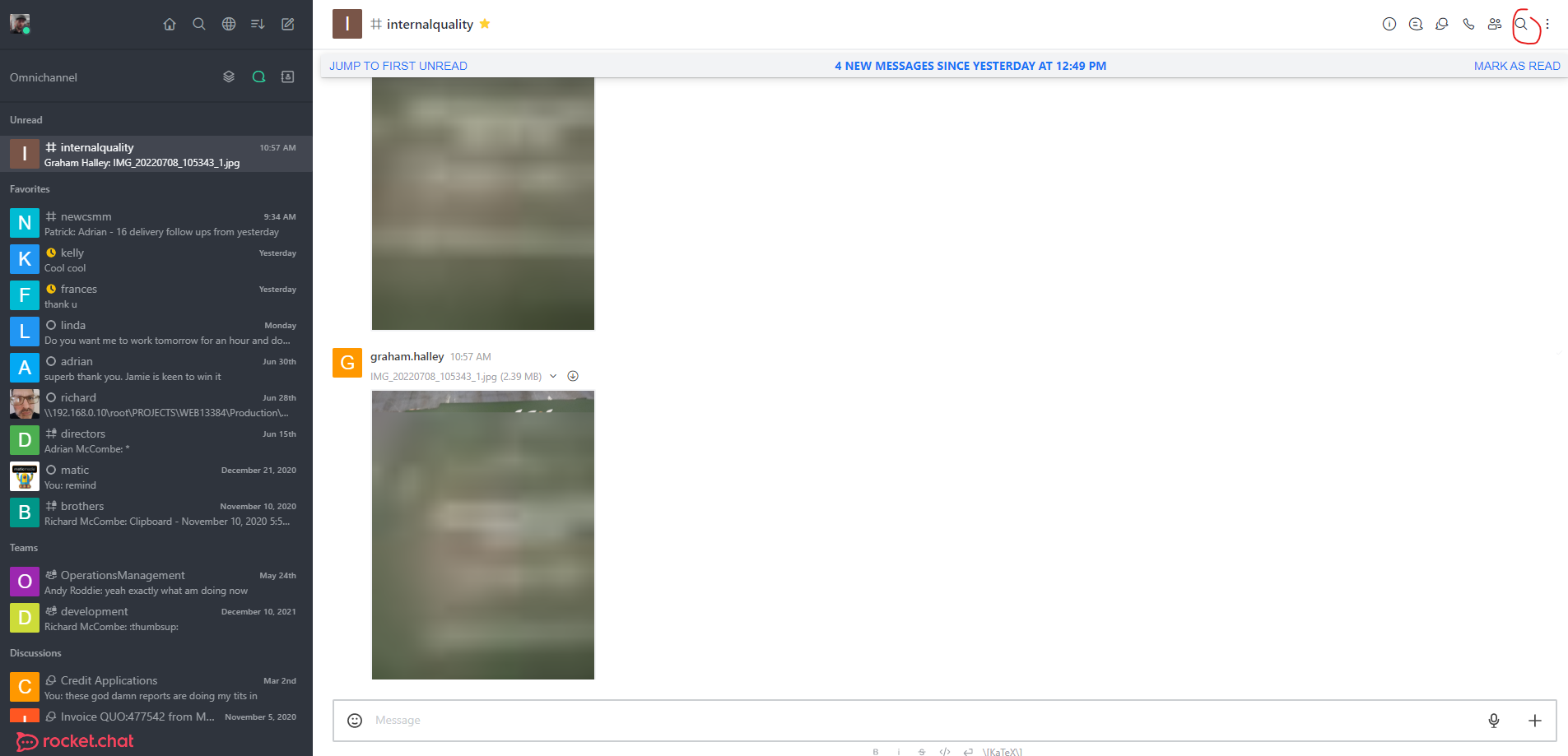
You can search inside any chat by entering a chat and clicking the magnifying glass at the top right of the screen

[![image-1657290875874.png](https://manual.maticmedia.co.uk/uploads/images/gallery/2022-07/scaled-1680-/image-1657290875874.png)](https://manual.maticmedia.co.uk/uploads/images/gallery/2022-07/image-1657290875874.png)
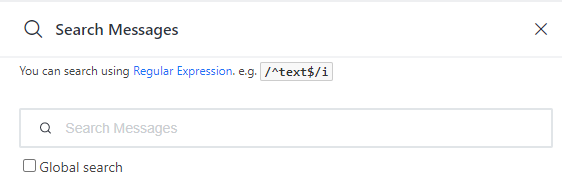
Enter your query in the search box

<p class="callout info">Click "Global Search" to search all conversations rather than just the current conversation</p>

  
[![image-1657290901160.png](https://manual.maticmedia.co.uk/uploads/images/gallery/2022-07/scaled-1680-/image-1657290901160.png)](https://manual.maticmedia.co.uk/uploads/images/gallery/2022-07/image-1657290901160.png)

#### Replying to Chats inside a Chat Room

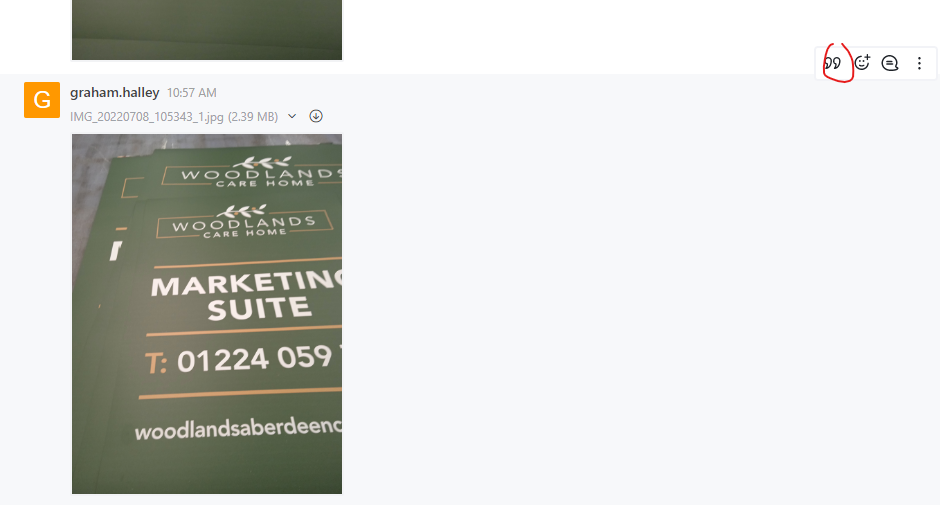
When replying to a specific message in a chat don't forget to specific "Quote the message"

This is done by clicking the quote icon when hovering over the conversation.

[![image-1657290999756.png](https://manual.maticmedia.co.uk/uploads/images/gallery/2022-07/scaled-1680-/image-1657290999756.png)](https://manual.maticmedia.co.uk/uploads/images/gallery/2022-07/image-1657290999756.png)